
LiveBlogPosting Schema Markup Setup Guide
Want your live blog posts (like breaking news, sports coverage, or real-time events) to appear with enhanced visibility in Google Search and be properly understood by AI tools? Adding LiveBlogPosting Schema Markup is essential. This guide will help you set up LiveBlogPosting Schema using the Schema Package WordPress plugin to improve both SEO and AI discoverability.
What Is LiveBlogPosting Schema Markup?
LiveBlogPosting Schema Markup is a structured data format defined by schema.org that helps search engines, AI tools, and language models understand your content as a live, continuously updated blog or event coverage.
With LiveBlogPosting schema, your content can:
- Appear in Google’s live coverage features
- Show real-time updates in search results
- Be consumed by AI tools (Google SGE, Bing Copilot, ChatGPT)
- Work with voice assistants and smart devices
Why Use LiveBlogPosting Schema?
Using LiveBlogPosting Schema improves:
- ✅ Real-Time Visibility: Helps Google identify and highlight live updates
- ✅ AI Understanding: AI tools can track and interpret updates chronologically
- ✅ User Engagement: Users get the latest updates directly in search
- ✅ Content Freshness Signals: Improves ranking for time-sensitive content
This is especially powerful for news publishers, sports blogs, and event coverage websites.
When Should You Use LiveBlogPosting Schema?
Add LiveBlogPosting Schema for:
- Breaking news coverage
- Live sports commentary
- Event live updates (conferences, launches, elections)
- Any content updated frequently in real-time
Avoid using it for static blog posts or content that does not receive continuous updates.
How to Set Up LiveBlogPosting Schema in WordPress (Using Schema Package Plugin)
You can add LiveBlogPosting Schema using two methods in the Schema Package plugin:
✅ Method 1: Apply LiveBlogPosting Schema Automatically (Global Setup)
- Navigate to Schema Package Dashboard → Select Singular Tab
- Click Add Schema
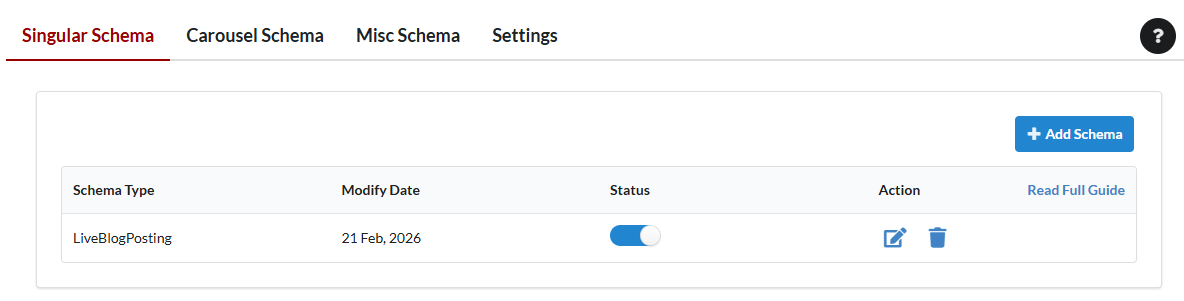
- Select Schema Type: LiveBlogPosting
- Set Targeting Rules (e.g. Posts used for live blogging)
- Map fields:
- Headline → Post Title
- Coverage Start Time → Custom Field / Manual Input
- Coverage End Time → Custom Field / Optional
- Live Blog Updates → Parsed from post content (HTML structure)
- Save the schema configuration
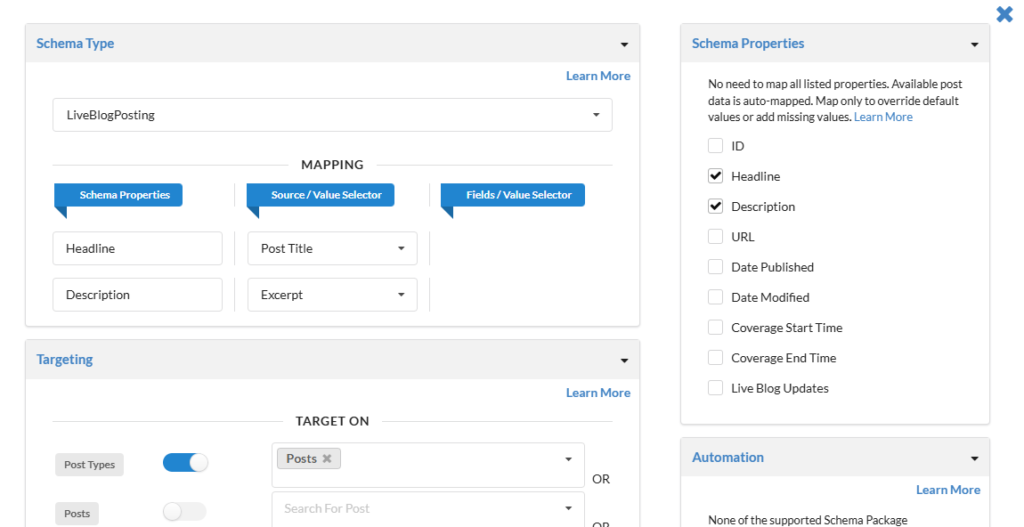
Note: For the LiveBlogPosting schema, almost all required fields are already available on every post. Schema Package automatically retrieves these values and includes them in the JSON-LD, so mapping is not required unless you want to manually override any field with a different value.
However, for liveBlogUpdate property, we cannot extract data from standard posts without understanding the exact structure used to add live updates whether through the Classic Editor, ACF, or any third-party plugin. Once we have this information, we can map it properly.
To enable this functionality, please upgrade to the premium version and get in touch with us.
✅ Method 2: Add Schema Manually Per Post (Schema Package Generator)
Need full control over live updates?
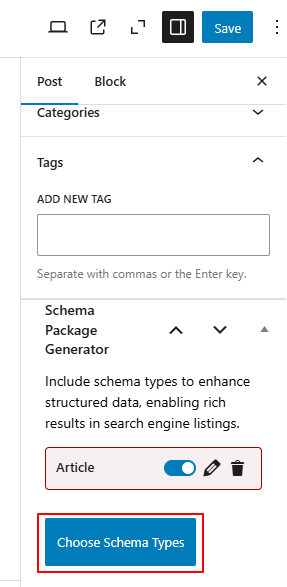
- Open your live blog post in the WordPress editor.
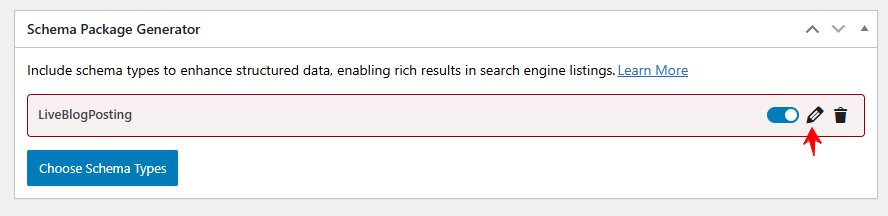
- Scroll to the Schema Package Generator section.
- Click Choose Schema Type
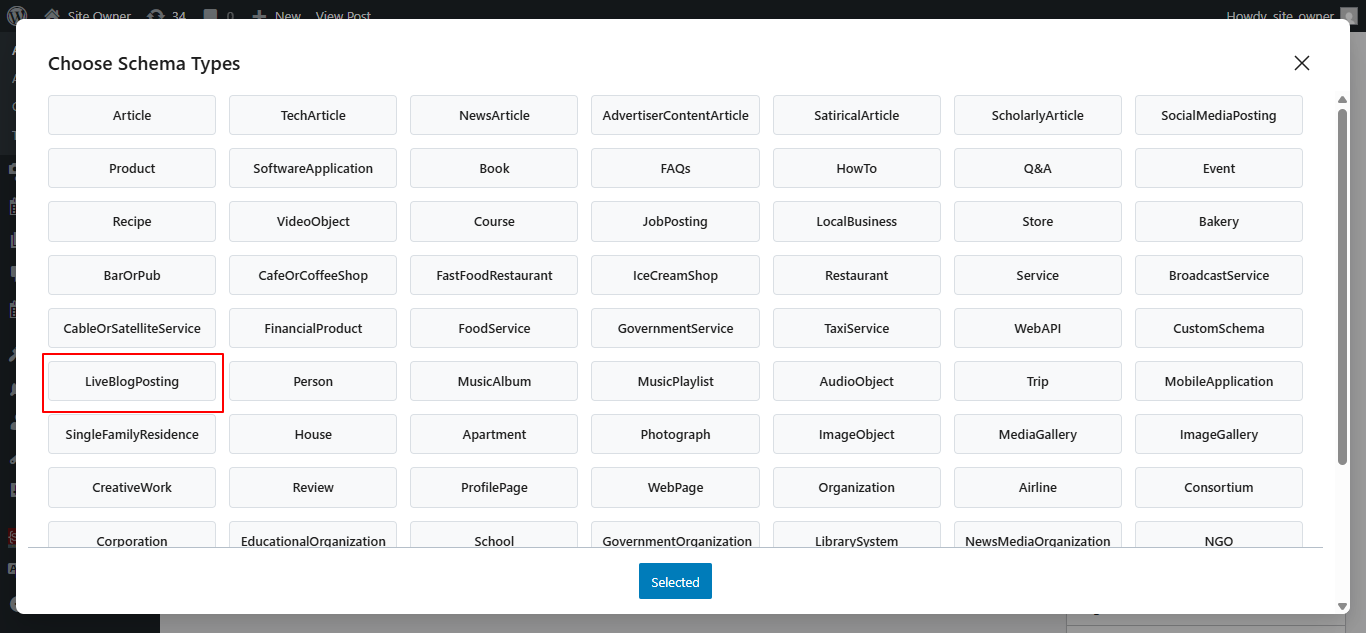
- Select LiveBlogPosting and click Selected
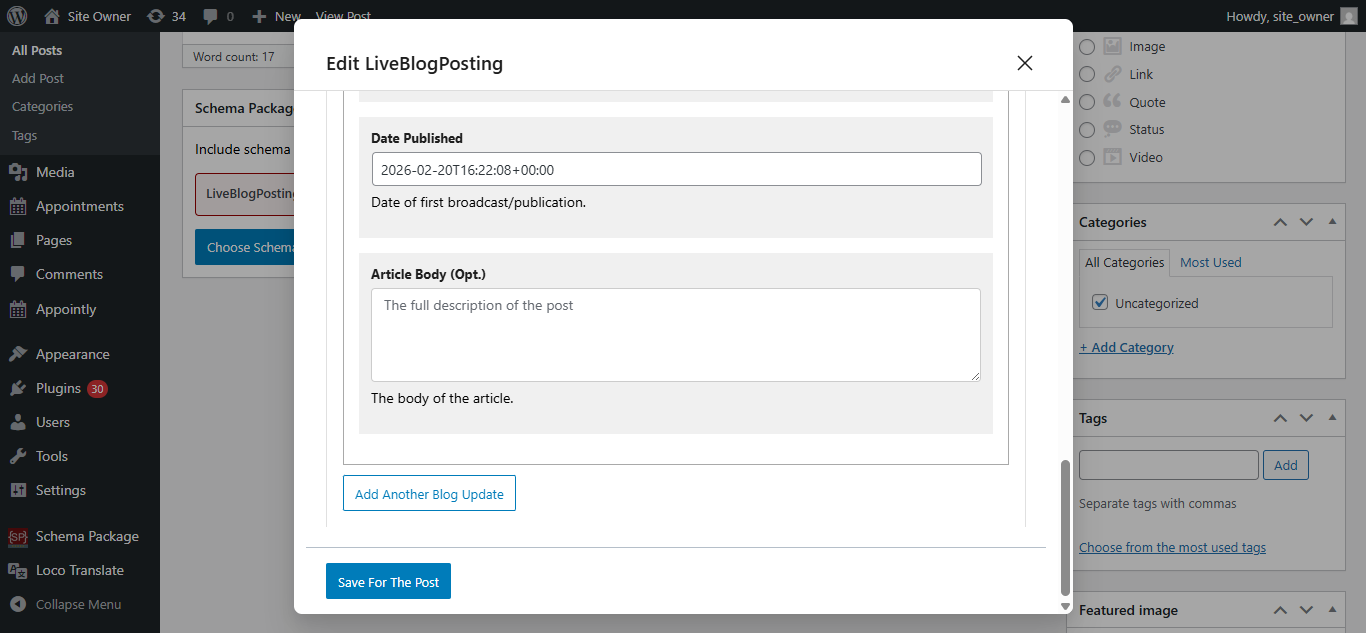
- Click Edit to configure properties
- Fill in the required details, then click the Save for Post button
 .
.
Note: This method comes with a drawback, If you use this approach for every post, it can become a time-consuming task to manually fill in the data each time. Therefore, use this method only when it’s truly necessary for specific posts or pages.
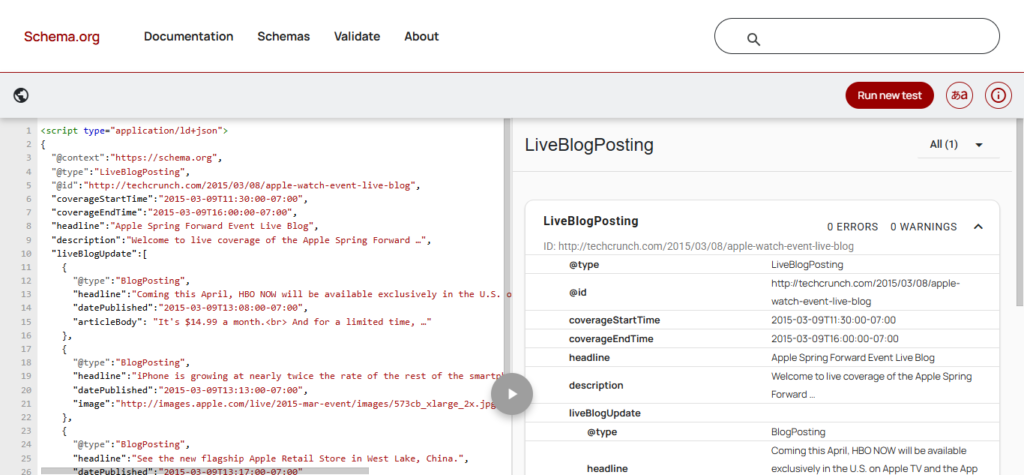
Test Your Schema Markup
After setup, validate your schema using:
Common Issues & Fixes
- Ensure each update has a timestamp
- Use consistent HTML structure for parsing updates
- Avoid duplicate schema from other plugins
- Keep coverageStartTime and coverageEndTime accurate
- Validate after every major update
Final Thoughts
By adding LiveBlogPosting Schema with the Schema Package plugin, you enable Google and AI systems to understand your content as a live, evolving story.
This is not just SEO — it’s real-time content intelligence.
👉 Start using LiveBlogPosting Schema today to boost visibility, engagement, and AI readiness for live content.