
How To Set Up Course Carousel Schema In Schema Package
Course Carousel Schema helps search engines understand a group of related courses displayed on a single page and makes them eligible for rich, swipeable carousel results in search.
With Schema Package, you can configure Course Carousel Schema visually.
This guide explains what Course Carousel Schema is, when to use it, and how to set it up step by step using Schema Package.
What Is Course Carousel Schema?
Course Carousel Schema is a structured data implementation based on ItemList that groups multiple Course entities together.
Each course in the carousel contains its own Course schema properties, such as:
- Course name
- Course URL
- Image or cover photo
- Course description
- Instructor
- Rating (if available)
Search engines can use this structured relationship to better understand and potentially display your courses as a carousel in search results.
When Should You Use Course Carousel Schema?
You should use Course Carousel Schema when:
- A page displays multiple related courses
- Courses belong to the same category, program, or learning path
- You want search engines to understand the relationship between courses
- You want improved eligibility for rich search features
⚠️ Important: All courses included in the carousel must be visible on the page and genuinely related.
Ways To Add Course Carousel Schema In Schema Package
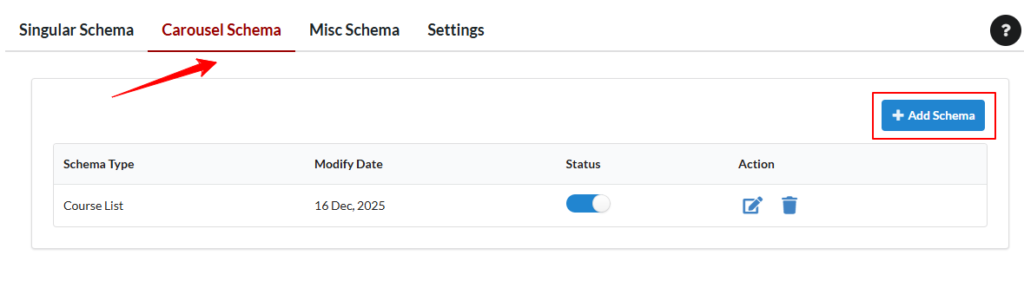
- Go to WordPress Admin → Schema Package
- Select Carousel Tab
- Click Add Schema
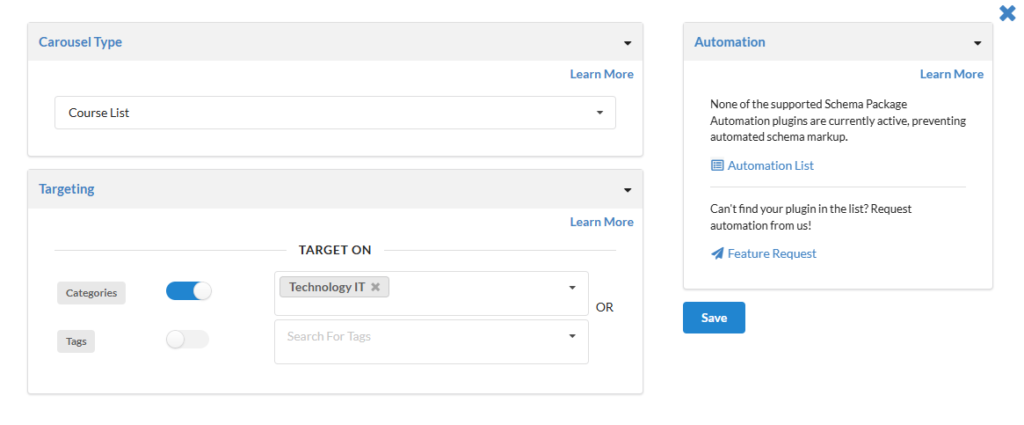
- Select Course Carousel Schema from dropdown as the schema type
- Set Targeting Rules (eg. Categories, Tags)
- Save the schema configuration
Best Practices for Course Carousel Schema
To ensure the best results:
- Ensure all courses are clearly visible on the page
- Use high-quality images with recommended dimensions
- Avoid adding unrelated or duplicate courses
- Use accurate Course schema properties
- Do not reuse the same Course Carousel Schema on multiple unrelated pages
How Schema Package Outputs Course Carousel Schema
Schema Package automatically:
- Generates clean JSON-LD ItemList markup
- Embeds individual Course schema objects inside the carousel
- Outputs valid course URLs and images
- Avoids conflicts with other schema types
Test Your Course Carousel Schema Markup
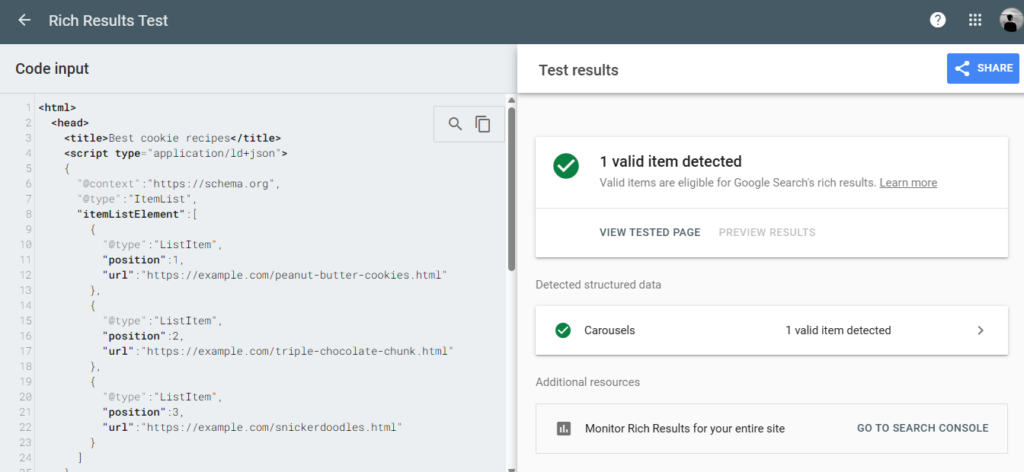
After setting up your schema, verify it using the validator tools below. Simply copy your post URL or page source and paste it into one of the testing tools.
Common Issues & Tips
Course Carousel Not Showing in Search Results?
- Course Carousel display is not guaranteed
- Google decides when to show rich features
- Ensure content quality and relevance
Conclusion
Course Carousel Schema is a powerful way to represent multiple related courses in search results.
With Schema Package, you can visually configure Course Carousel Schema accurately and efficiently—either globally or per page—without writing any code.
For advanced setups, combine Course Carousel Schema with individual Course or Review schema types to give search engines a complete understanding of your course content.